Tutorial 1 - Extracting spectra from a Data-Cube
Getting example data
For this tutorial and the next ones we will use a public MUSE [1, 2, 3] spectroscopic datacube: for example let’s go to the ESO Science Portal and download the datacube for Abell141.
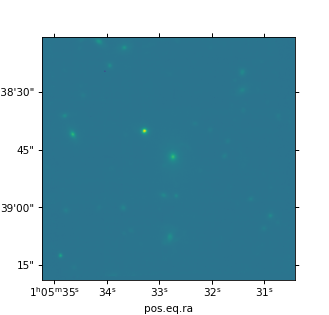
First of all we need to identify the objects for which we want to extract the spectra. If we do not have any other image to perfrorm the source extraction, we can compute a white-light image from the cube itself by using the command specex-cubestack. We can also specify what wavelenght interval to use by supplying the parameter --wave-ranges followed by one or more wavelenght intervals expressed in angstroms. For example, the following command will generate a white-light 2D image of the 4000A-5000A interval of the cube:
specex-cubestack --wave-ranges 4000-5000 ADP.2023-09-01T12_56_41.595.fits
The stacked image will be saved as ADP.2023-09-01T12_56_41.595_data.fits along with a png of the whitelight images is also generated
Sources Extraction
Now we can run, for example, SExtractor [4] to identify sources. First of all, let’s create the parameter file default.parm for SExtractor, we need the R.A. and Dec. of the sources and, optionally, also the Kron major and minor radii and the position angle (See Appendix for the full configuration used in this tutorial). Once you have run sextractor with the command
sex ADP.2023-09-01T12_56_41.595_data.fits -c sex.conf
a catalog file named *sources.cat* is created that contains the value of the parameter specified in the configuration for each source identified. The following figure shows the position of the sources overlaid on the whitelight image of the cube.

Run specex with a catalog file
Specex can extract spectra from the datacube using the positions from a catalog. The catalog file is specified using the parameter --catalog and, optionally, its format can be set using --cat-format. Spectra can be extracted using different strategies that are be set using the parameter --mode. The simplest mode uses a circular aperture of fixed diamerer that can be set using the parameter --aperture-size. For example, to extract the spectra using a fixed aperture of 0.8” of diameter we can use the command
specex --catalog sources.cat --mode circular_aperture --aperture-size 0.8arcsec ADP.2023-09-01T12_56_41.595.fits
and the extraced spectra are saved into a folder named sources_spectra. The name of the output directory can be changed using the parameter --outdir.
If the catalog is not generated by SExtractor, the name of the columns containing the ID, R.A. and Dec of the objects, as well as the sky-frame coordinates type, can be set using the parameters --key-id, --key-ra, --key-dec and --cat-skyframe, for example:
specex --catalog sources.cat --cat-format ascii --key-id NUMBER --key-ra ALPHA_J2000 --key-dec DELTA_J2000 --cat-skyframe icrs --mode circular_aperture --aperture-size 0.8arcsec --outdir extracted_spectra ADP.2023-09-01T12_56_41.595.fits
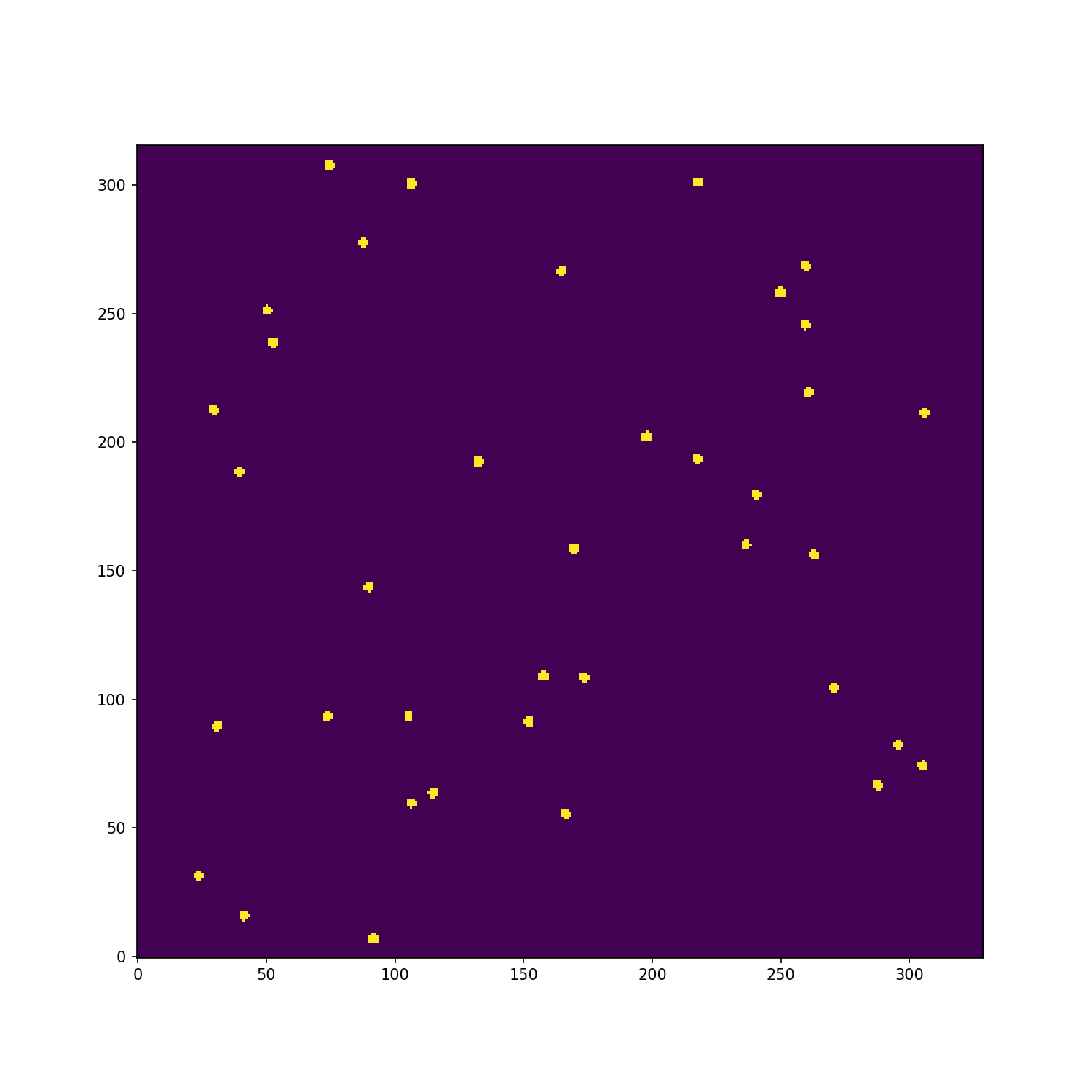
At the end of the extraction, a file named spec_list_pandora_ez.txt is created and can be used with the software Pandora EZ [5]. If the parameter --check-images is used, then an extraction map is created in which the actual spaxels used from the cube are highlited
Spatial weighting by light
We can also apply a spatial weighting using the parameter --weighting followed by the method you want to use. Currently the following methods are supported:
none: no light weighting is applied (the default)
whitelight: use the pseudo-whitelight image obtained by staking the datacube along the spectra axis
log-whitelight: like whitelight, but a logarithmic scale is applied to the image
<image url>: use an external grayscale image as weightmap. The image must wither have the same spatial dimensions of the datacube or must have a valid WCS so it can be rescaled to the datacube footprint. For the latter case, the python package reproject [8] is required.
For example, to get light-weighted spectra using the cube whitelight image we can use the command
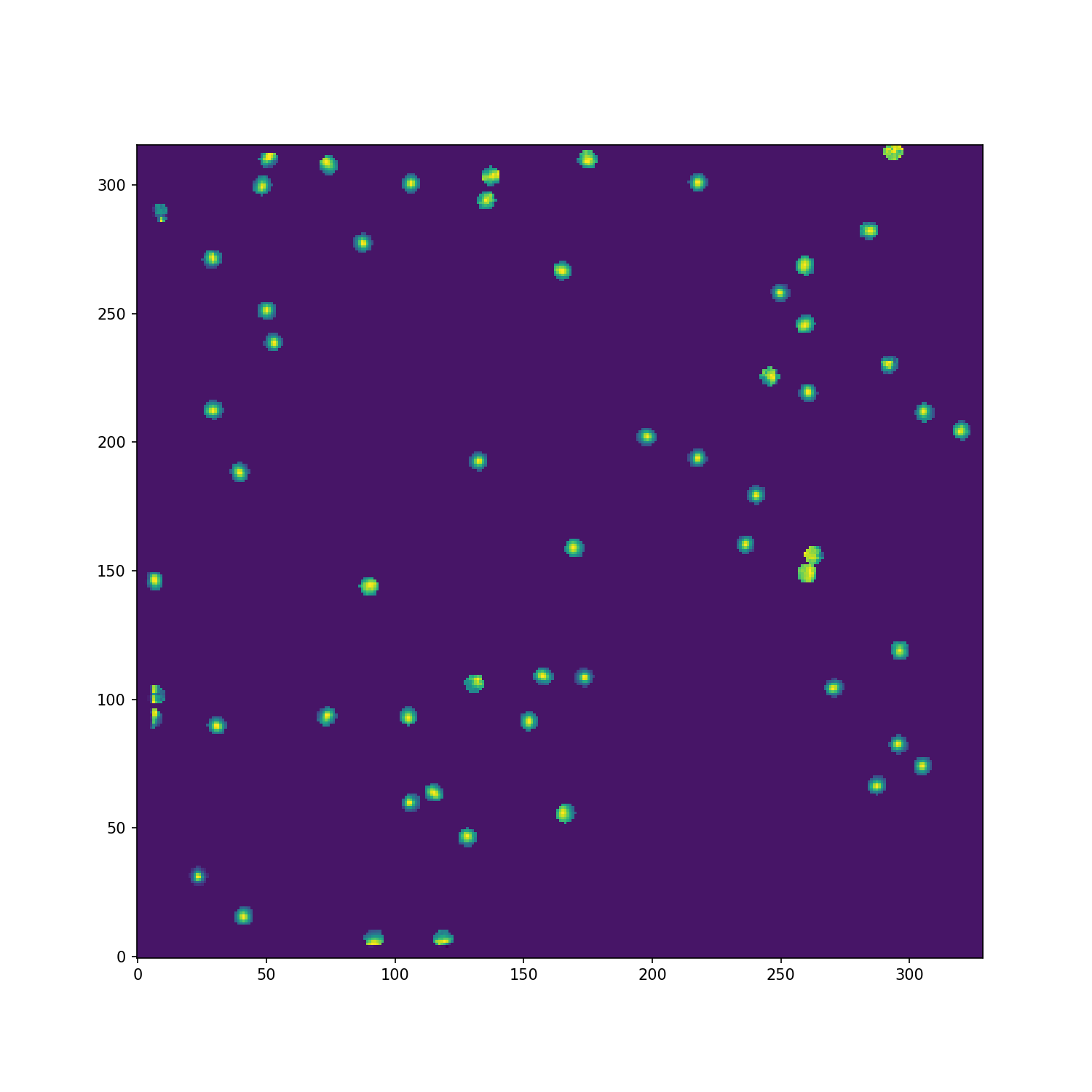
specex --catalog sources.cat --mode circular_aperture --aperture-size 1.5arcsec --weighting whitelight --outdir extracted_spectra_wsum --check-images ADP.2023-09-01T12_56_41.595.fits
the extraction map now reflects the weighting of each spaxels
Run specex with a regionfile
Important
Region file handling is supported only if Atropy-Regions [6] is installed
Specex also supports region files as input instead of catalogs. The input region file can be specified using --regionfile and, in the case it is not automatically identified, its format can be set using --cat-format. For example, suppose we have a region file named test_regions.reg created with SAO DS9 [7], like shown in this figure

then we can use the following command to extract the spectra from the spaxels inside each region
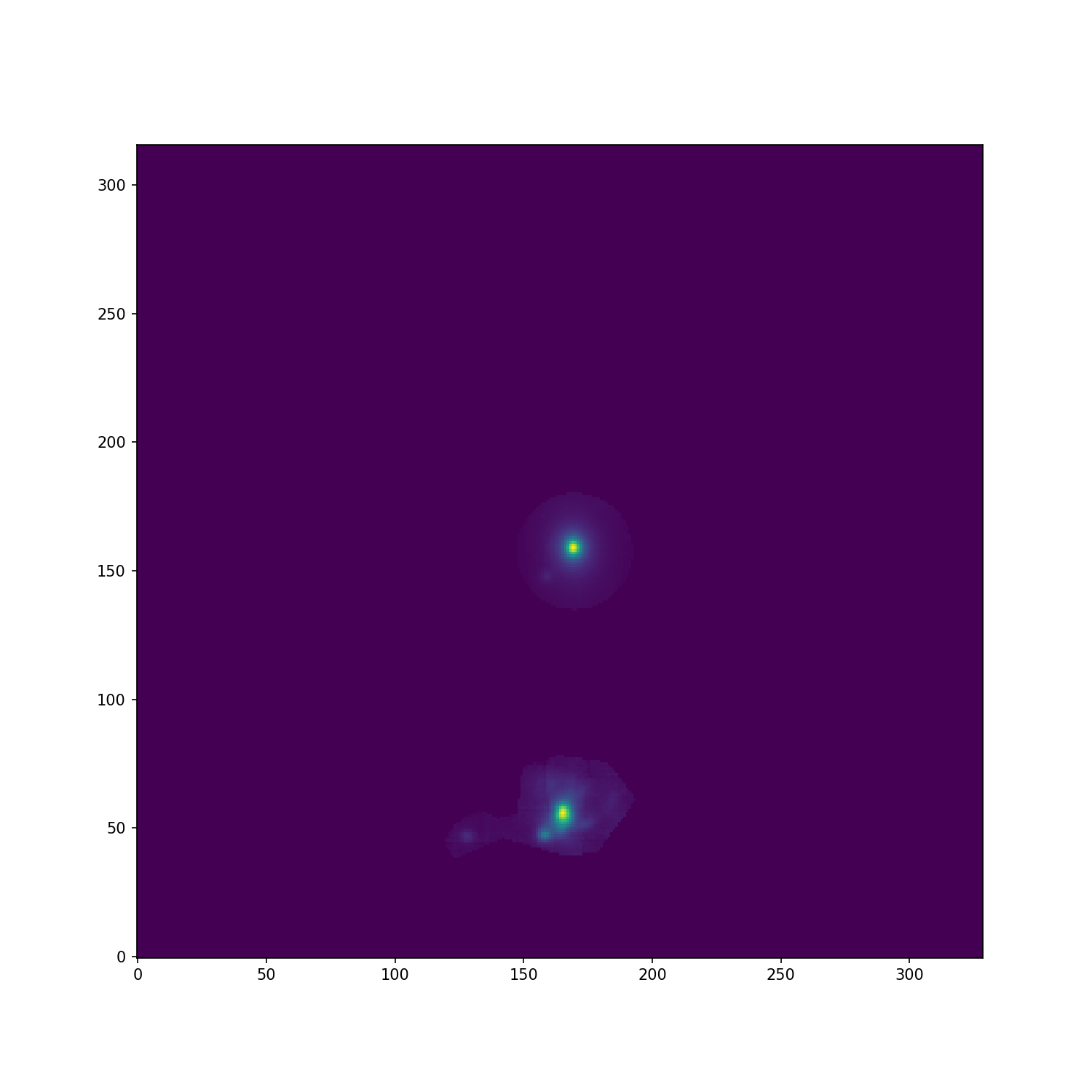
specex --regionfile test_regions.reg --outdir extracted_spectra_reg --check-images ADP.2023-09-01T12_56_41.595.fits
we can also use the whitelight weighting and all the options seen before, with the only exception of --mode and --aperture-size that are ignored when using a region file as input. Here there are the two extraction maps generate with and without whitelight weighting

Appendix
Parameter file for SExtractor
NUMBER                   Running object number
KRON_RADIUS              Kron apertures in units of A or B
ALPHA_J2000              Right ascension of barycenter (J2000)                     [deg]
DELTA_J2000              Declination of barycenter (J2000)                         [deg]
A_WORLD                  Profile RMS along major axis (world units)                [deg]
B_WORLD                  Profile RMS along minor axis (world units)                [deg]
THETA_J2000              Position angle (east of north) (J2000)                    [deg]
Main configuration file for SExtractor
# Default configuration file for SExtractor 2.28.0
# EB 2023-09-19
#

#-------------------------------- Catalog ------------------------------------

CATALOG_NAME     sources.cat       # name of the output catalog
CATALOG_TYPE     ASCII_HEAD     # NONE,ASCII,ASCII_HEAD, ASCII_SKYCAT,
                                # ASCII_VOTABLE, FITS_1.0 or FITS_LDAC
PARAMETERS_NAME  default.param  # name of the file containing catalog contents

#------------------------------- Extraction ----------------------------------

DETECT_TYPE      CCD            # CCD (linear) or PHOTO (with gamma correction)
DETECT_MINAREA   15             # min. # of pixels above threshold
DETECT_THRESH    1.5            # <sigmas> or <threshold>,<ZP> in mag.arcsec-2
ANALYSIS_THRESH  1.5            # <sigmas> or <threshold>,<ZP> in mag.arcsec-2

FILTER           Y              # apply filter for detection (Y or N)?
FILTER_NAME      default.conv   # name of the file containing the filter

DEBLEND_NTHRESH  32             # Number of deblending sub-thresholds
DEBLEND_MINCONT  0.005          # Minimum contrast parameter for deblending

CLEAN            Y              # Clean spurious detections? (Y or N)?
CLEAN_PARAM      1.0            # Cleaning efficiency

MASK_TYPE        CORRECT        # type of detection MASKing: can be one of
                                # NONE, BLANK or CORRECT

#------------------------------ Photometry -----------------------------------

PHOT_APERTURES   5              # MAG_APER aperture diameter(s) in pixels
PHOT_AUTOPARAMS  2.5, 3.5       # MAG_AUTO parameters: <Kron_fact>,<min_radius>
PHOT_PETROPARAMS 2.0, 3.5       # MAG_PETRO parameters: <Petrosian_fact>,
                                # <min_radius>

SATUR_LEVEL      50000.0        # level (in ADUs) at which arises saturation
SATUR_KEY        SATURATE       # keyword for saturation level (in ADUs)

MAG_ZEROPOINT    0.0            # magnitude zero-point
MAG_GAMMA        4.0            # gamma of emulsion (for photographic scans)
GAIN             0.0            # detector gain in e-/ADU
GAIN_KEY         GAIN           # keyword for detector gain in e-/ADU
PIXEL_SCALE      1.0            # size of pixel in arcsec (0=use FITS WCS info)

#------------------------- Star/Galaxy Separation ----------------------------

SEEING_FWHM      1.2            # stellar FWHM in arcsec
STARNNW_NAME     default.nnw    # Neural-Network_Weight table filename

#------------------------------ Background -----------------------------------

BACK_SIZE        128             # Background mesh: <size> or <width>,<height>
BACK_FILTERSIZE  3              # Background filter: <size> or <width>,<height>

BACKPHOTO_TYPE   GLOBAL         # can be GLOBAL or LOCAL

#------------------------------ Check Image ----------------------------------

CHECKIMAGE_TYPE  NONE           # can be NONE, BACKGROUND, BACKGROUND_RMS,
                                # MINIBACKGROUND, MINIBACK_RMS, -BACKGROUND,
                                # FILTERED, OBJECTS, -OBJECTS, SEGMENTATION,
                                # or APERTURES
CHECKIMAGE_NAME  check.fits     # Filename for the check-image

#--------------------- Memory (change with caution!) -------------------------

MEMORY_OBJSTACK  3000           # number of objects in stack
MEMORY_PIXSTACK  300000         # number of pixels in stack
MEMORY_BUFSIZE   1024           # number of lines in buffer

#----------------------------- Miscellaneous ---------------------------------

VERBOSE_TYPE     NORMAL         # can be QUIET, NORMAL or FULL
HEADER_SUFFIX    .head          # Filename extension for additional headers
WRITE_XML        N              # Write XML file (Y/N)?
XML_NAME         sex.xml        # Filename for XML output
Convolution kernel file for SExtractor
CONV NORM
# 3x3 ``all-ground'' convolution mask with FWHM = 2 pixels.
1 2 1
2 4 2
1 2 1
Catalog generated by SExtractor
#   1 NUMBER                 Running object number
#   2 KRON_RADIUS            Kron apertures in units of A or B
#   3 ALPHA_J2000            Right ascension of barycenter (J2000)                      [deg]
#   4 DELTA_J2000            Declination of barycenter (J2000)                          [deg]
#   5 A_WORLD                Profile RMS along major axis (world units)                 [deg]
#   6 B_WORLD                Profile RMS along minor axis (world units)                 [deg]
#   7 THETA_J2000            Position angle (east of north) (J2000)                     [deg]
        1  4.42  16.3864303 -24.6464047 0.0008437835 0.0005720322  +5.45
        2  5.04  16.3792404 -24.6515189 0.0001955065 0.0001336911 -62.79
        3  4.86  16.3866331 -24.6521325 0.0004381678 0.0004077079 +55.89
        4  3.50  16.3953601 -24.6534837 0.0001216037 0.0001039647 +17.32
        5  5.06  16.3942786 -24.6543399 0.0001247508 0.0001211779 +75.02
        6  4.39  16.3911976 -24.6548261 0.0002692113 0.0001089498 -86.51
        7  6.19  16.3895529 -24.6548474 0.0001107817 8.721873e-05 -76.22
        8  5.54  16.3938446 -24.6385755 9.192448e-05 7.815456e-05 -38.14
        9  6.90  16.3788543 -24.6378329 0.0001448756 8.217682e-05 -86.51
        10  7.81  16.3885262 -24.6388969 9.989083e-05 6.031202e-05 -77.29
        11  7.19  16.3963029 -24.6391613 7.791432e-05 5.070437e-05  -4.97
        12  7.16  16.3794394 -24.6395475 9.964682e-05 6.831145e-05 +75.45
        13  3.50  16.3936953 -24.6380036 0.0001547281  8.10468e-05 -75.10
        14  5.39  16.3815399 -24.6408818 8.828965e-05 8.640128e-05 -34.80
        15  4.01  16.3809485 -24.6403053 0.0002052667 0.0001861794 -11.31
        16  3.79  16.3809481 -24.6415650 0.0003738096 0.0002219544 -71.07
        17  3.50  16.3950394 -24.6401575  8.29815e-05 6.444725e-05 +50.24
        18  5.46  16.3867258 -24.6404116 0.0001166932 8.602528e-05 +77.76
        19  5.98  16.3937375 -24.6412719 8.124506e-05 7.080565e-05  -9.31
        20  4.73  16.3935802 -24.6419537 0.0001562577  0.000131746 +40.08
        21  3.60  16.3789587 -24.6424352 8.703894e-05 5.964517e-05 -17.84
        22  6.22  16.3808838 -24.6430492 0.0001427546 0.0001178999 +32.79
        23  6.53  16.3817902 -24.6426960 8.815942e-05 5.350914e-05 +49.47
        24  4.57  16.3781172 -24.6434769 0.0001755219 0.0001167099 +13.81
        25  4.00  16.3950030 -24.6434184 0.0002623285  0.000136645 -81.48
        26  3.58  16.3943818 -24.6447581 0.0003494321 0.0002385468 +29.29
        27  5.96  16.3772340 -24.6438588  0.000108154  5.60573e-05 +13.56
        28  3.50  16.3887179 -24.6445248 0.0003145259 0.0002291614 +85.19
        29  3.50  16.3861203 -24.6380159 0.0001159834 9.925593e-05 +63.58
        30  4.95  16.3871689 -24.6491636 0.0002757329 0.0001795589 +72.11
        31  6.62  16.3847220 -24.6440004 0.0001549924 0.0001278267 +66.76
        32  5.00  16.3835078 -24.6444625  0.000121628 0.0001118465 -17.98
        33  4.69  16.3821099 -24.6452474 0.0001211691 0.0001132367 -28.71
        34  7.94  16.3807424 -24.6465489 0.0001076208 8.393906e-05 +37.70
        35  7.50  16.3808957 -24.6469514 0.0001748404 0.0001189868 +19.78
        36  3.50  16.3823671 -24.6463236 0.0001316005 0.0001139087 -32.75
        37  4.63  16.3862044 -24.6491890 0.0001730169 0.0001562797 +36.79
        38  3.50  16.3964158 -24.6471118 0.0001148015 7.937146e-05 +47.37
        39  5.21  16.3913112 -24.6472316 0.0001185651 9.032222e-05 -69.75
        40  6.72  16.3786953 -24.6486100  8.28674e-05 6.881855e-05 -78.20
        41  4.38  16.3802576 -24.6494186 0.0001611613 0.0001123548 -87.35
        42  8.36  16.3888116 -24.6493278 0.0001309348 9.932731e-05 -65.69
        43  3.86  16.3963785 -24.6495669 0.0001112882 8.354804e-05 -22.13
        44  3.99  16.3903792 -24.6500214 0.0001598017 0.0001365624  -7.71
        45  4.26  16.3923157 -24.6500333 0.0001409334 9.838033e-05 -21.74
        46  3.50  16.3964452 -24.6500799 0.0001315775 3.772602e-05  -2.89
        47  3.50  16.3949210 -24.6502329 0.0001351341 0.0001275996 +69.55
        48  5.38  16.3875191 -24.6501384 8.110509e-05 5.733128e-05  +2.75
        49  4.41  16.3914530 -24.6398129 0.0001942943 0.0001682963 +89.46
        50  3.50  16.3922661 -24.6381454 0.0002825873 0.0001569699 +62.23
        51  5.20  16.3897714 -24.6516831 0.0001314855 0.0001069683 +56.51
        52  8.34  16.3889778 -24.6526561 9.579919e-05  7.98086e-05 +52.10
        53  4.21  16.3787301 -24.6506438 0.0001957418 0.0001850378 -38.69
        54  4.26  16.3903098 -24.6385274 0.0003460228 0.0002646436 -67.71
        55  5.79  16.3781670 -24.6511066 0.0001345424 0.0001209562 -21.93
        56  5.77  16.3903029 -24.6518988 0.0001089354  8.91477e-05 +34.79
        57  6.40  16.3884120 -24.6383747 0.0002585835  8.21858e-05 -75.89
        58  5.60  16.3834903 -24.6385030 8.388908e-05 7.819273e-05  -4.62
Test region file
# Region file format: DS9 version 4.1
global color=green dashlist=8 3 width=1 font="helvetica 10 normal roman" select=1 highlite=1 dash=0 fixed=0 edit=1 move=1 delete=1 include=1 source=1
icrs
circle(16.3864276,-24.6464706,4.522") # text={1}
polygon(16.3868272,-24.6508763,16.3856399,-24.6510251,16.3849644,-24.6518252,16.3858651,-24.6529415,16.3865679,-24.6530624,16.3876461,-24.6527927,16.3881169,-24.6526624,16.3892838,-24.6531089,16.3895295,-24.6527368,16.3892633,-24.6523461,16.3886901,-24.6520298,16.3882193,-24.6522345,16.3877894,-24.6521229,16.3876666,-24.6511368) # text={2}