Tutorial 2 - Redshift estimation
Important
In order to run rrspecex, Redrock [1] must be installed.
Note
If you use rrspecex please cite also Redrock [1] in your papaer.
Using the same data and spectra extracted in the first tutorial, we can compute the redshift of the spectra using the command rrspecex. For example, let’s compute the redshift for the two spectra extracted with the regionfile.
rrspecex extracted_spectra_reg/spec_*.fits --zbest zbest_reg.fits
This will create a file named zbest_reg.fits that contains the redshift estimation for the two spectra given in input.
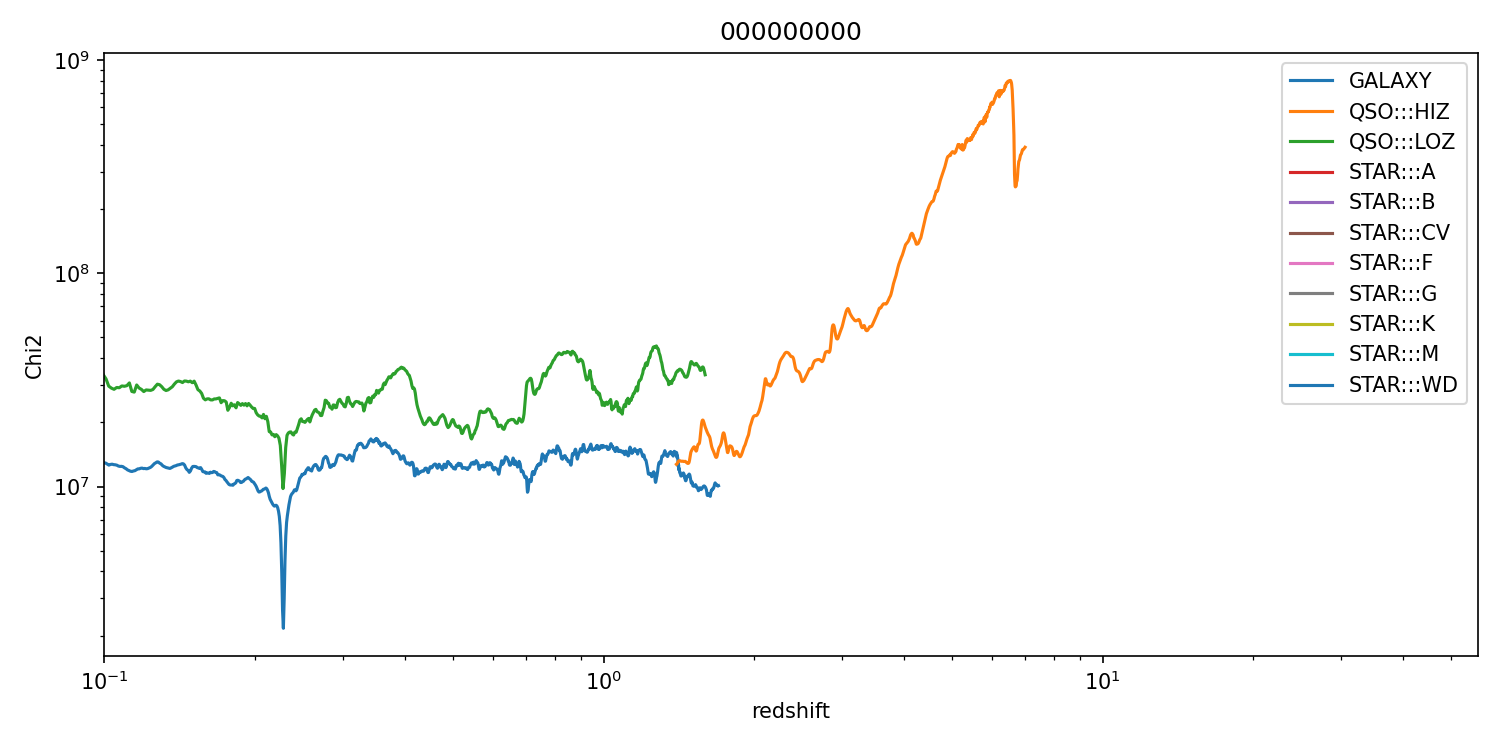
We can also tell to the program to apply a smoothing before redshift estimation using the parameter --smoothing that accepts as input an integer greater or equal to 0, where 0 means no smoothing. If we use the parameter --plot-zfit a plot of each spectrum is generated in a folder which name can be set using --checkimg-outdir. If we also use --debug then a chi-square plot will be also generated for each spectrum and will show the value of the chi-square from Redrock in function of the redshift for all the spectral templates used. Let’s try to run the following command:
rrspecex extracted_spectra_wsum/spec_*.fits --zbest zbest_wsum.fits --smoothing 3 --plot-zfit --checkimg-outdir chk_wsum --debug
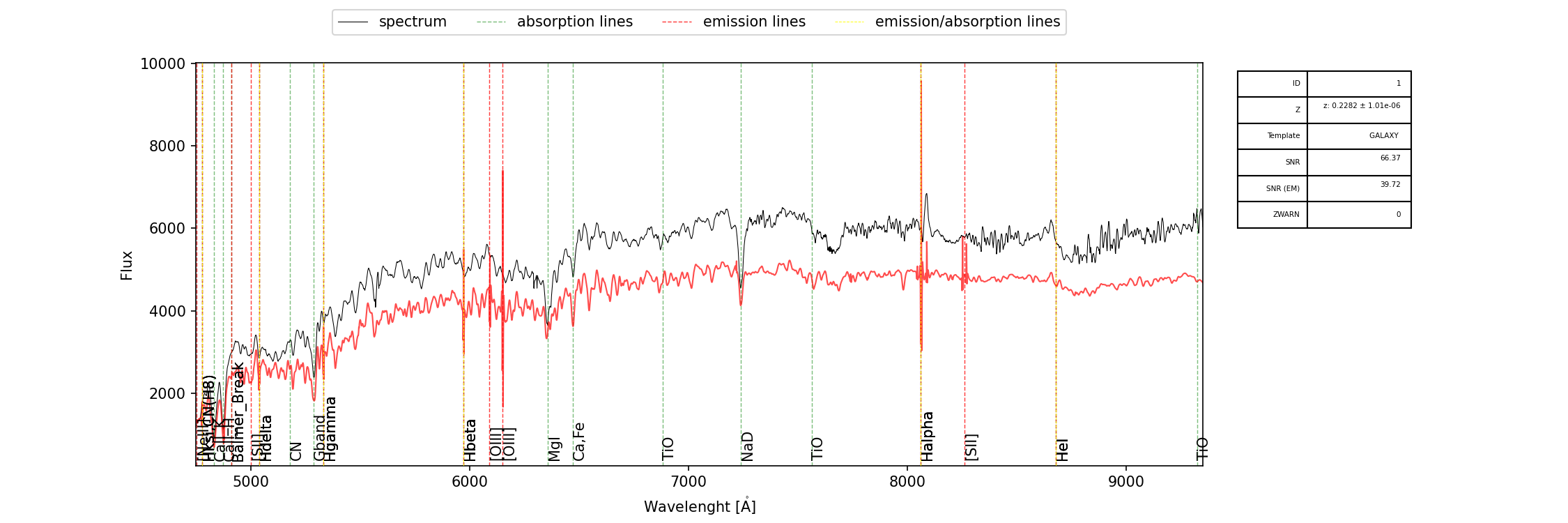
In the folder chk_wsum we will find a set of files named rrspecex_spec_XXXX.fits.png that are the plot of the spectra, like the following
and also a set of files named rrspecex_scandata_spec_XXXX.fits.png