Tutorial 5 - Operations on Datacubes
Smoothing
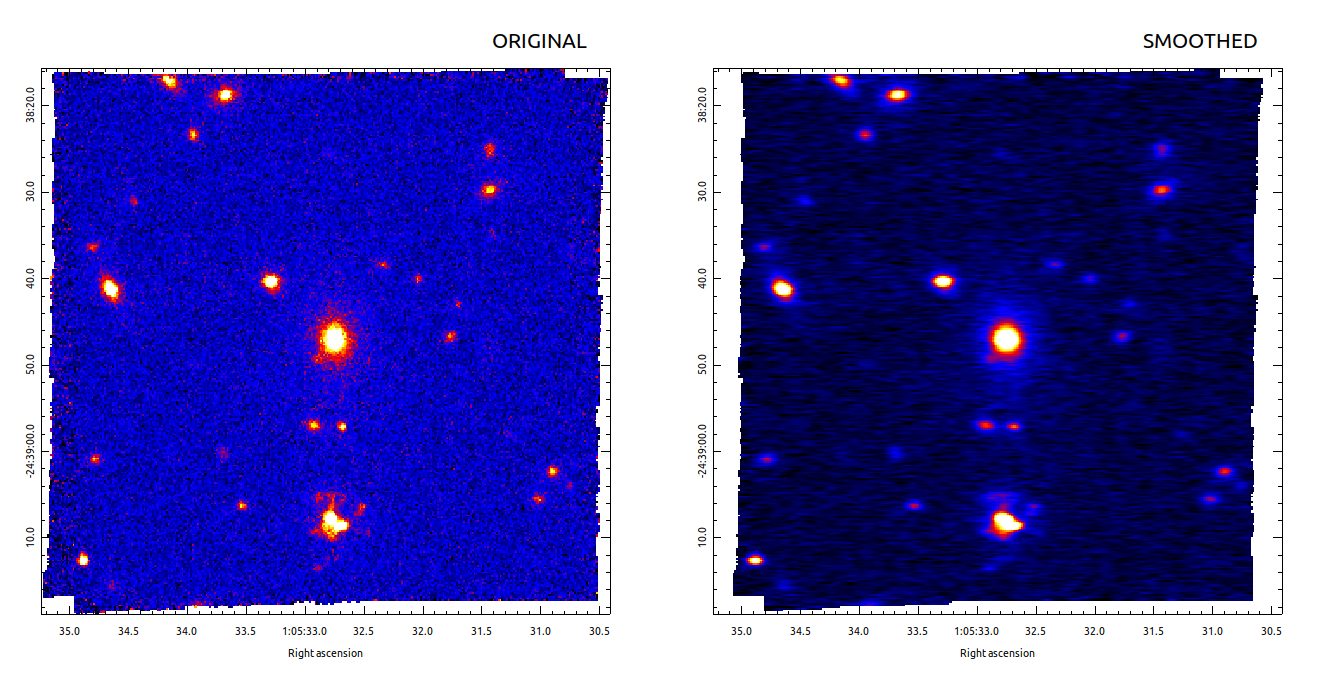
specex-smooth can be used to perform spatial and/or spectral smoothing of a datacube. For example, to perform a spatial smoothing with a gaussian kernel of standard deviation (sigma) of 0.5”
specex-smooth ADP.2023-09-01T12_56_41.595.fits --spatial-sigma 0.5arcsec
In this picture the orignal cube is shown on the left and the smoothed one, resulting from the previous command, is shown on on the right
The spatial sigma can be also different for the two spatial axes
specex-smooth ADP.2023-09-01T12_56_41.595.fits --spatial-sigma 0.5arcsec, 0.25arcsec
and also pixel units are supported
specex-smooth ADP.2023-09-01T12_56_41.595.fits --spatial-sigma 2,3
The cube can be smoothed also along the spectra axis using a sigma in either physical units
specex-smooth ADP.2023-09-01T12_56_41.595.fits --wave-sigma 2
or pixel unit
specex-smooth ADP.2023-09-01T12_56_41.595.fits --wave-sigma 1angstrom
And, of course, spatial and spectral smoothing can be applied at the same time
specex-smooth ADP.2023-09-01T12_56_41.595.fits --spatial-sigma 0.5arcsec,0.3arcsec --wave-sigma 1angstrom
Making Cutouts
specex-cutout can be used to extract cutouts from a datacue.
For example, the following command extracts a cutout centered on Ra=16.3867 and Dec=-24.6464 and size 6”x4” and with a rotation of 45°
specex-cutout --verbose --center 16.3867deg,-24.6464deg --size 6arcsec,3arcsec --angle 45deg ADP.2023-09-01T12_56_41.595.fits
To make a square cutout, the second value for --size can be omitted. Pixel units also are acceped:
specex-cutout --verbose --center 250,100 --size 50 ADP.2023-09-01T12_56_41.595.fits